SLOT_WATCH.CRX
Slot Watcher
A Chrome extension that buzzes your phone the moment a spot opens in a full service event on GCU Life.
 2
- Type
- Browser extension for GCU Life
- Role
- Product, Interface design, Engineering, Testing, Privacy & support pages
- Platform
- Chrome (Manifest V3), ntfy on iPhone and Android
- Stack
- JavaScript, Manifest V3, chrome.alarms, chrome.notifications, ntfy.sh, Playwright
- Status
- v0.2.0 · Live on the Chrome Web Store
- Year
- 2026
Summary
Slot Watcher is a Chrome extension for GCU students. It watches the service events on GCU Life and alerts you, on your computer and on your phone, the moment a spot opens in one that was full. It is read-only: it never signs up for you. Version 0.2.0 is live on the Chrome Web Store.
The problem
Full, until it isn’t.
Service events on GCU Life fill up fast. Spots open again when someone drops out, and they’re usually gone within minutes, to whoever happened to refresh the page.
Slot Watcher does the refreshing. It reads the event list about once a minute, and the moment a spot opens it alerts you on your computer and your phone. You tap the alert and sign yourself up.
It started as a Python script I ran on my own Mac. Slot Watcher is the same idea rebuilt as a Chrome extension, so any student can set it up in about two minutes.
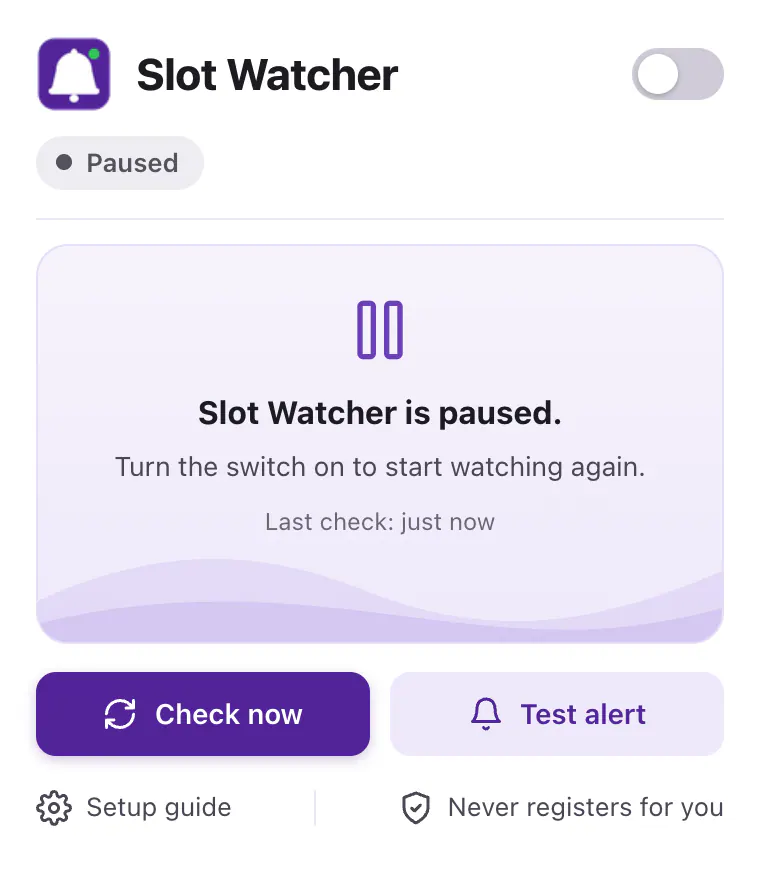
The popup
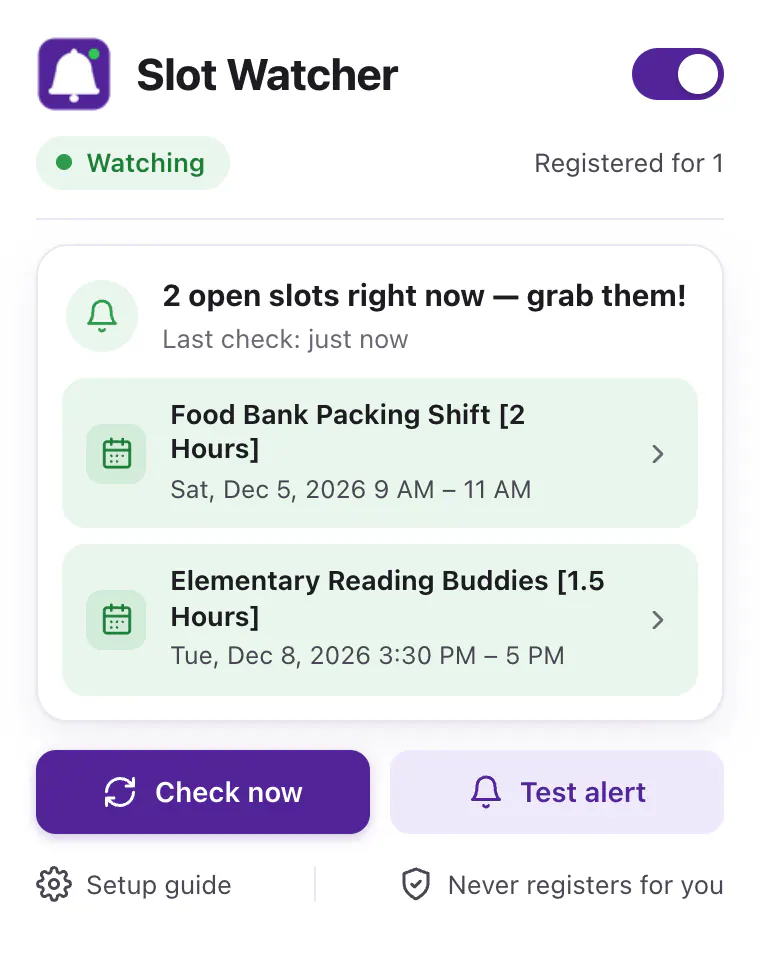
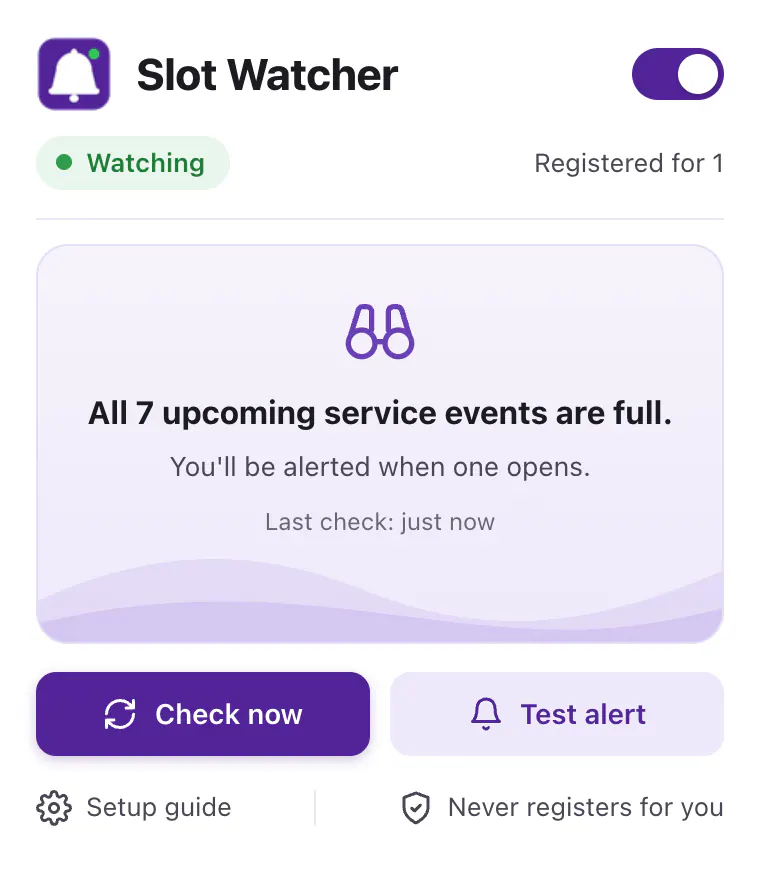
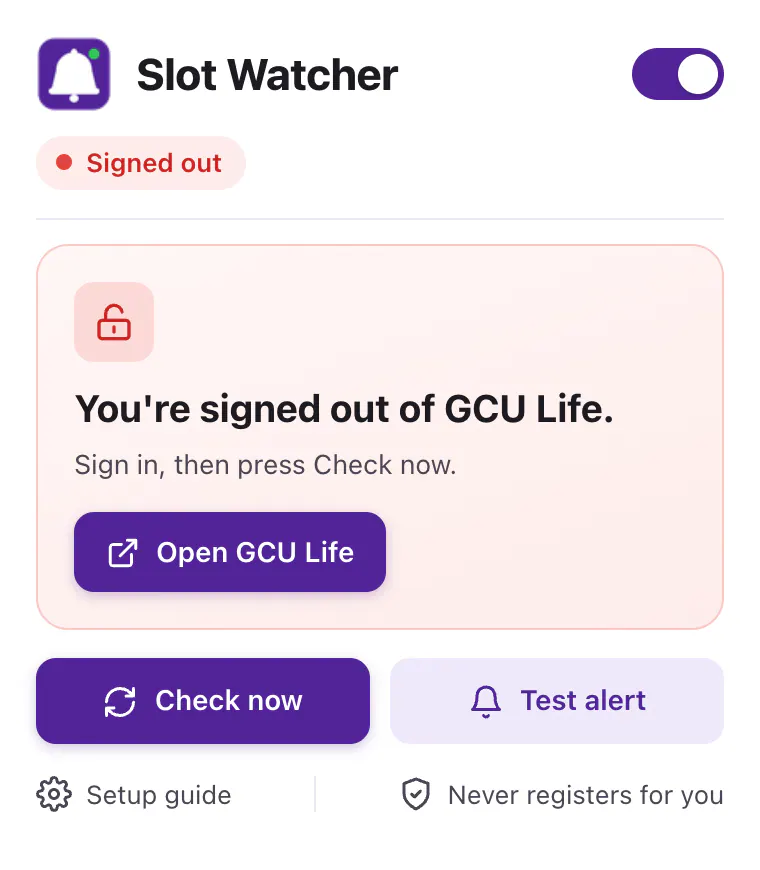
One glance, every state
Key features
Watches so you don’t have to
- Watch
About once a minute
Reads the upcoming service events with your own GCU Life sign-in, as long as Chrome is open and the computer is awake.
- Alert
Desktop and phone together
A desktop notification and a high-priority phone push through the free ntfy app. Tap either one to go straight to the event.
- Badge
Open spots on the toolbar
The bell shows how many spots are open right now. Click it to see which events, or that everything is full.
- Skip
Only what you can take
Skips events you’re already registered for and events that have already started.
- Read-only
Never registers for you
It never clicks, signs up or submits anything. When it alerts you, you register yourself.
- Health
Tells you when it can’t watch
Signed out, GCU Life unreachable for 10 minutes, or the computer just woke up: each gets one clear alert, and another when it’s fixed.
- Outbox
Alerts that don’t get lost
If the phone service is briefly down, the alert waits and is sent again on later checks, for up to 15 minutes.
- Privacy
No servers of mine
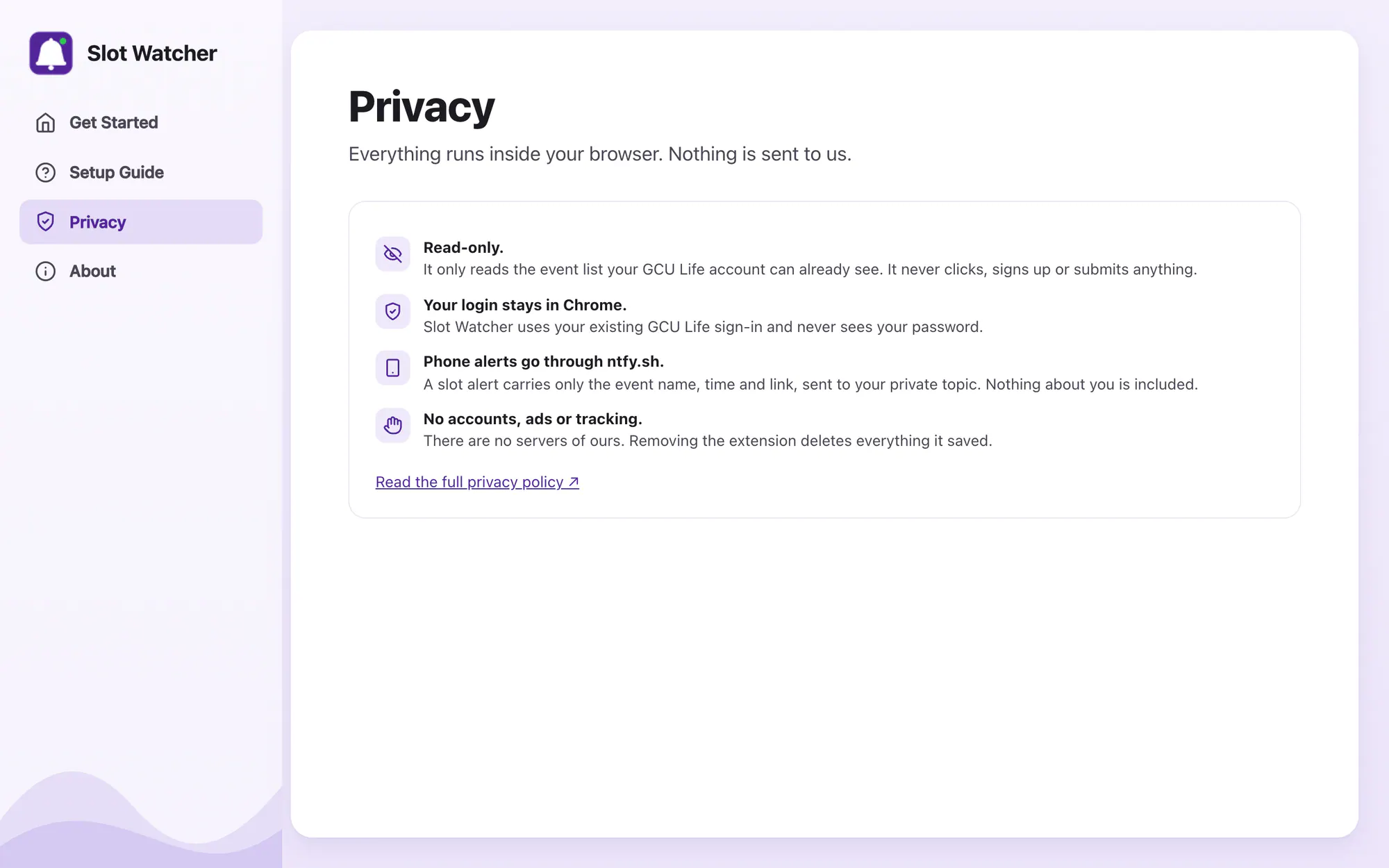
No accounts, ads or tracking. Your login stays in Chrome, and a phone alert carries only the event name, time and link.
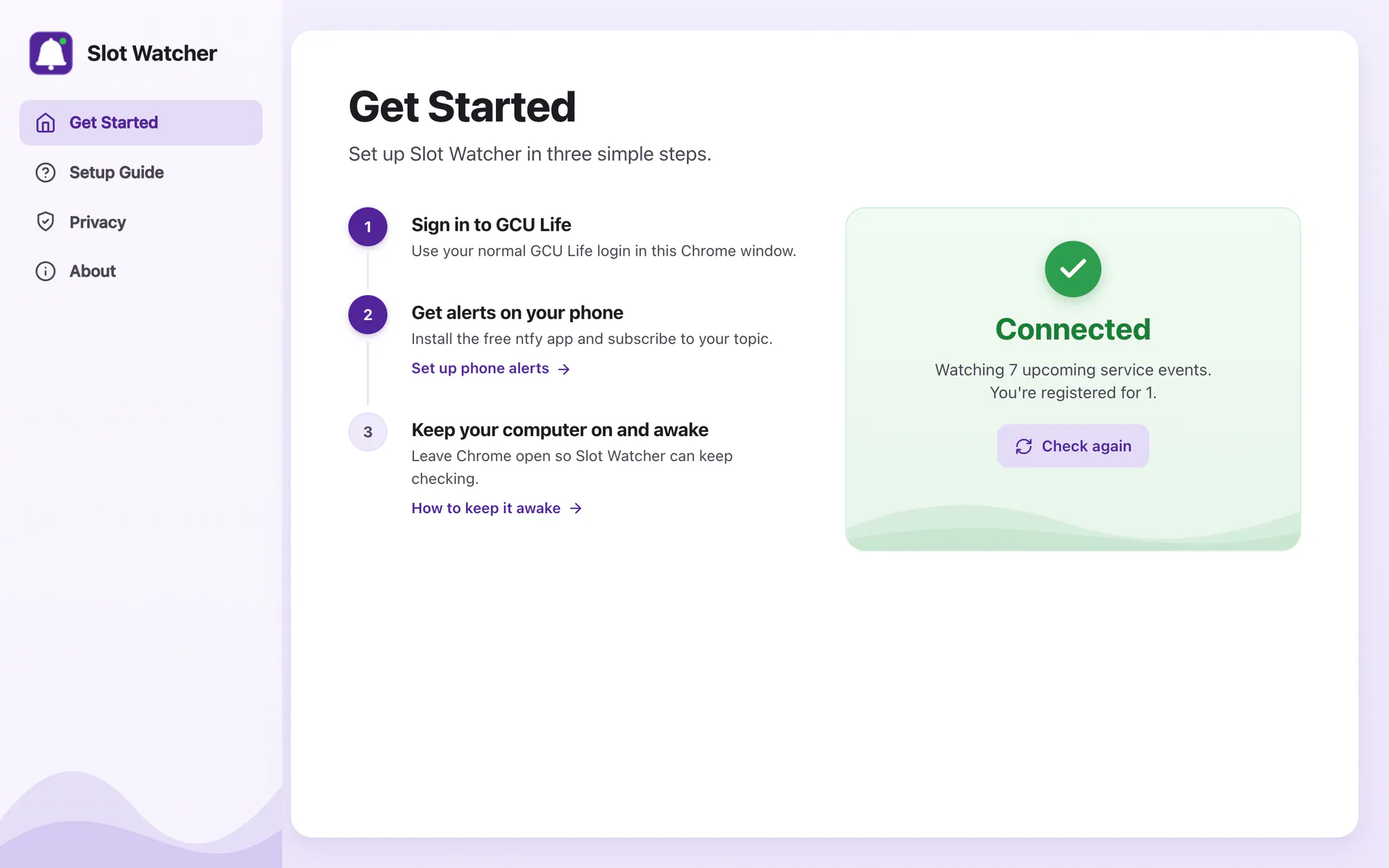
Three steps, and a card that turns green when it’s working. Every screen on this page comes from the extension’s own test harness, with sample events.
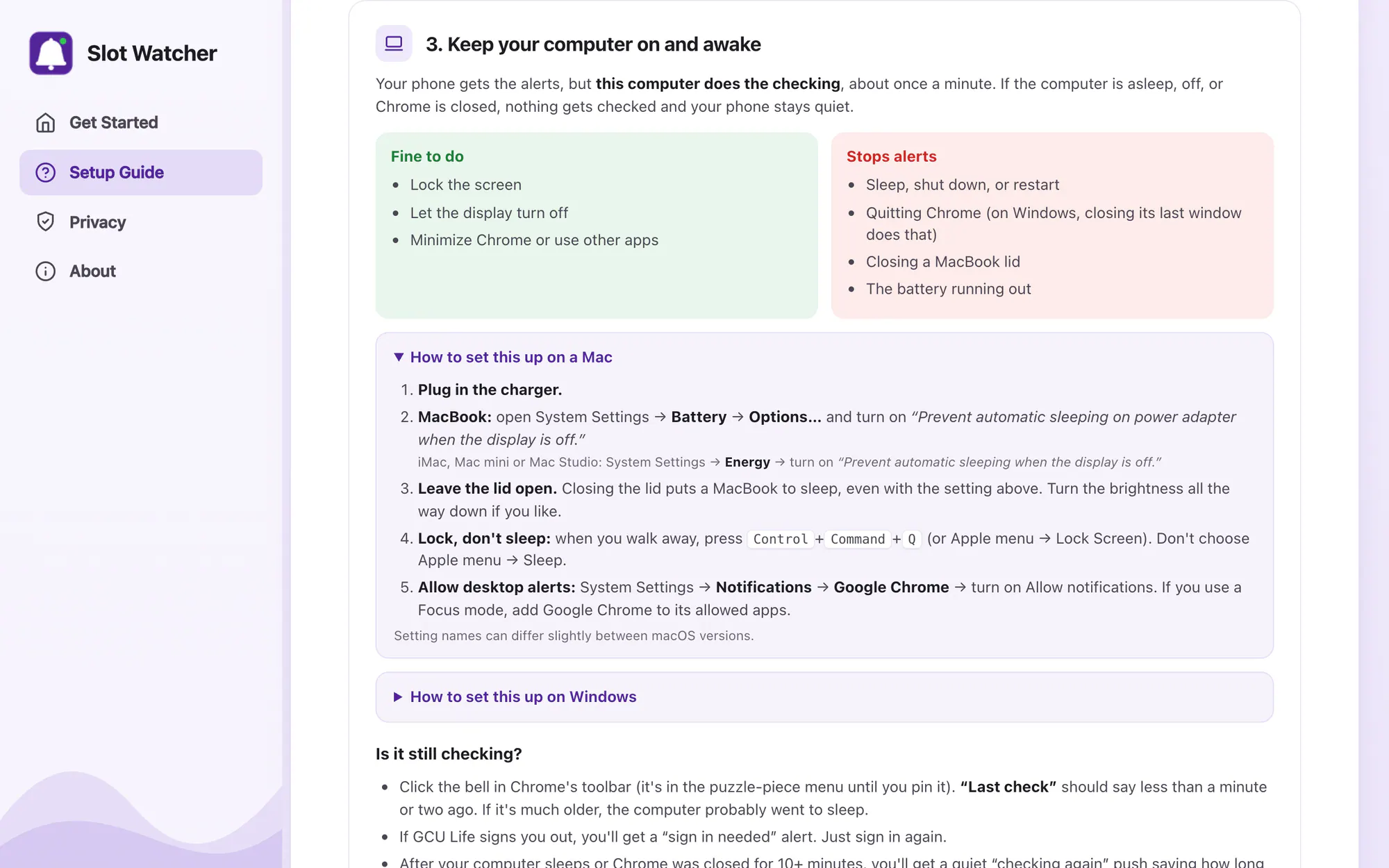
Setup guide
Plain-language help
Development highlights
A missed alert is the only bug that matters
Most of the work went into deciding exactly what counts as an opening, and into speaking up when it can’t check.
- A fake GCU Life and a fake ntfy server, so every alert path is tested without touching the real site
- 21 unit tests and 64 end-to-end checks in real Chromium
- A line-by-line audit of v0.2.0: 35 issues found, all fixed
- ReaderFetches the event list page by page with the user’s own sign-in, with a timeout on every request
- RulesPure, unit-tested logic: start times in Arizona time, whole-word matching for full, closed and sold out, and unknown statuses treated as open
- DiffCompares each check with the last: a new event with open spots, or full to open. Several openings become one alert
- AlertsDesktop notifications plus ntfy pushes, with an outbox that retries for 15 minutes
- HealthSign-out, can’t-reach and woke-from-sleep detection, each alerting once and clearing itself on recovery
My part
- The idea, first as a script for myself, then as an extension for everyone
- The rules: what counts as open, when to alert and when to stay quiet
- Interface design for the popup and the setup page
- Engineering, the test harness and the audit
- The privacy policy and support pages on this site, and the store listing
Unofficial student tool. Not affiliated with, endorsed by or supported by Grand Canyon University. Screens show sample events.